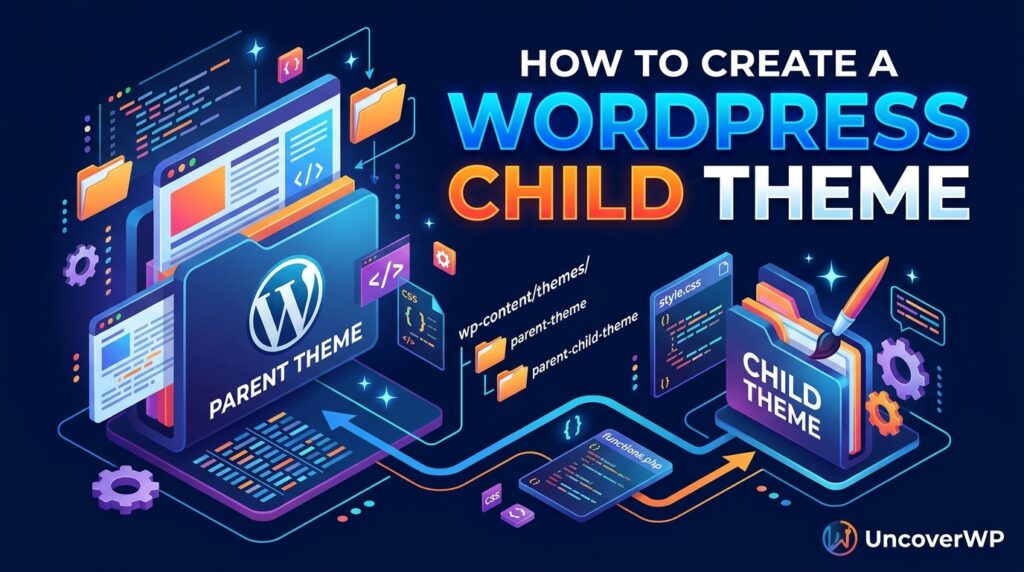
A WordPress child theme is a theme that inherits the design and functions of another theme, called the parent, and stores your changes in its own folder. When the parent theme updates, WordPress replaces the parent files but leaves the child theme alone, so your custom code survives.
Editing a theme directly works until the first update wipes your changes. A child theme fixes that with two small files. This guide shows how to build one by hand for classic and block themes, how WordPress decides which file wins, and when you do not need a child theme at all.
Not sure which theme a site uses? Paste any URL into the free UncoverWP Theme Detector. It shows the theme name, folder name, and whether the site already runs a child theme.
When Do You Need a Child Theme?
You need a child theme when you plan to edit theme files: template PHP files, theme.json, or functions.php code that belongs to the design. You do not need one for every change.
| Change you want | Child theme needed? | Better place |
| Edit a template file (header.php, single.php) | Yes | Child theme |
| Add theme.json colors or fonts to a block theme | Yes | Child theme |
| Add a few lines of CSS | No | Additional CSS or Site Editor styles |
| Add a tracking script or small snippet | No | A code snippets plugin |
| Add a custom post type or shortcode | No | A small custom plugin |
| Change colors and fonts in a block theme | No | Site Editor, Styles panel |
A simple rule helps: if the code should stay when you switch themes, put it in a plugin. If it only makes sense with this one theme, put it in a child theme.
What Files Does a Child Theme Need?
A child theme needs only one required file, style.css, with a header that names the parent theme. Most child themes also include functions.php to load styles and add code. Everything else is optional.
- style.css (required): the header tells WordPress this is a child theme and which parent it uses.
- functions.php (classic themes): loads the parent stylesheet and holds your PHP changes.
- theme.json (block themes): overrides the parent’s colors, fonts, spacing, and layout.
- screenshot.png (optional): the preview image in Appearance > Themes. WordPress recommends 1200 by 900 pixels.
- Template files (optional): copies of parent templates you want to change.
How to Create a Child Theme for a Classic Theme
These steps work on any classic theme, such as Astra, GeneratePress, OceanWP, or Twenty Twenty-One. Take a full backup first.
Step 1: Find the Parent Theme Folder Name
Open wp-content/themes/ in your hosting File Manager or over FTP. The folder name, not the display name, is what the child theme uses. For example, Twenty Twenty-One lives in the folder twentytwentyone. The folder name is case-sensitive.
Step 2: Create the Folder and style.css
Create a new folder next to the parent, for example twentytwentyone-child. Inside it, create style.css with this header:
/*
Theme Name: Twenty Twenty-One Child
Template: twentytwentyone
Description: Child theme for Twenty Twenty-One
Version: 1.0.0
Text Domain: twentytwentyone-child
*/
Theme Name and Template are the two lines that matter. Template must match the parent folder name exactly, or WordPress reports the theme as broken.
Step 3: Load the Parent Stylesheet in functions.php
Create functions.php in the same folder and add this code. It loads the parent stylesheet first and then your child stylesheet, which is why your CSS can override the parent.
<?php
add_action( ‘wp_enqueue_scripts’, ‘my_child_enqueue_styles’ );
function my_child_enqueue_styles() {
wp_enqueue_style(
‘parent-style’,
get_parent_theme_file_uri( ‘style.css’ )
);
wp_enqueue_style(
‘child-style’,
get_stylesheet_uri(),
array( ‘parent-style’ ),
wp_get_theme()->get( ‘Version’ )
);
}
Do not use @import in style.css to load the parent. It forces the browser to download stylesheets one after another and slows the page down.
[ Some parent themes already load the child stylesheet themselves. After activating, open View Page Source and search for style.css. If a file loads twice, remove the child-style part of the code above. ]
Step 4: Activate and Test
Go to Appearance > Themes, activate the child theme, and check the homepage, a post, and a page. Classic themes store menu locations and Customizer settings per theme, so you may need to reassign menus and widgets once.
How to Create a Child Theme for a Block Theme
A block theme child theme needs style.css with the same header and, usually, a theme.json file. You do not need functions.php to load styles, because block themes load their CSS through theme.json and blocks.
A minimal child theme.json that changes the primary color looks like this:
{
“$schema”: “https://schemas.wp.org/trunk/theme.json”,
“version”: 3,
“settings”: {
“color”: {
“palette”: [
{ “slug”: “primary”, “color”: “#1a7f5a”, “name”: “Primary” }
]
}
}
}
WordPress merges the child theme.json on top of the parent, so you only write the settings you want to change. To edit a template, copy it from the parent’s templates/ folder into the same path in the child theme.
The free Create Block Theme plugin from the WordPress.org team can also generate a block child theme from the Site Editor, including any style changes you already made there.
How WordPress Decides Which File Wins
WordPress checks the child theme first for every template file and falls back to the parent only when the child does not have that file. functions.php works differently: both files load, and the child’s functions.php loads before the parent’s.
| File type | What happens with a child theme |
| Template files (single.php, header.php, templates/*.html) | Child file replaces the parent file |
| functions.php | Both load, child first, then parent |
| style.css | Both can load; child rules override when loaded after the parent |
| theme.json | Child settings merge over the parent settings |
Because the child’s functions.php runs first, you cannot redeclare a parent function with the same name unless the parent wraps it in function_exists(). Use hooks and filters instead.
Common Child Theme Mistakes
- Wrong Template value: using the theme’s display name instead of its folder name.
- Copying every parent file: copy only the files you change, or you lose parent fixes when it updates.
- Using @import: slower than enqueueing the parent stylesheet.
- Putting site features in the child theme: custom post types and shortcodes vanish if you switch themes. Put them in a plugin.
- Child themes of child themes: WordPress does not support a grandchild theme.
Frequently Asked Questions
Will a child theme slow down my website?
Barely. A classic child theme adds one small stylesheet request. Loading the parent with wp_enqueue_style instead of @import keeps the cost close to zero.
Can I create a child theme without a plugin?
Yes. A child theme is just a folder with a style.css file, plus functions.php or theme.json. You can create it in your host’s File Manager in a few minutes.
Do I lose my settings when I activate a child theme?
Content stays. On classic themes, menu locations, widgets, and Customizer options are saved per theme, so you may need to set them again once.
Can I turn a child theme into a standalone theme?
Yes, but you must copy every parent file the child relies on and remove the Template line from style.css. After that, you no longer get parent theme updates.
How do I know if a site uses a child theme?
Check the page source for two theme folders in wp-content/themes/, or run the URL through the UncoverWP Theme Detector, which reports the parent and child theme.