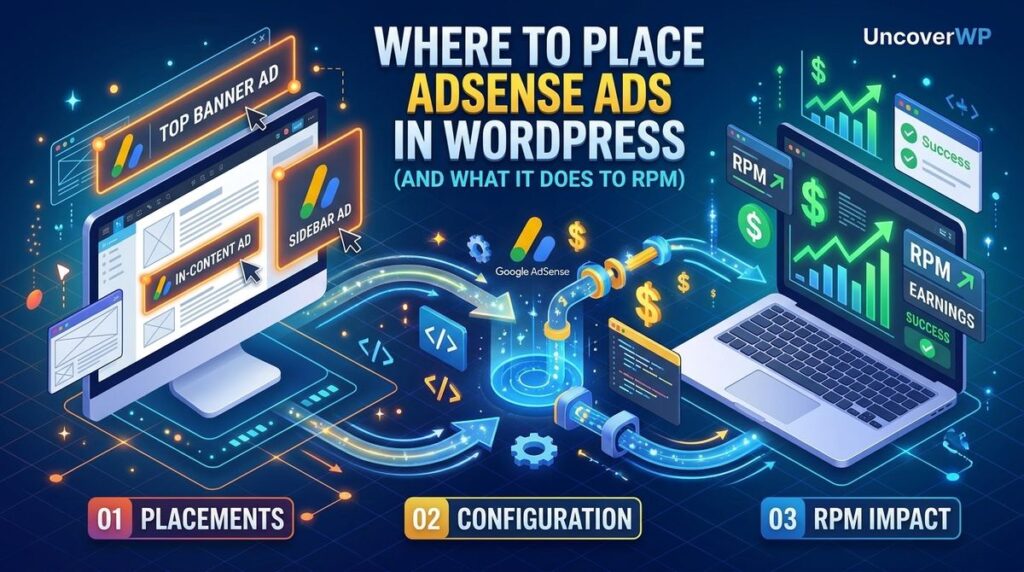
AdSense ad placement is the decision of where each ad unit sits inside a WordPress page template, and it is the single on-page variable that controls how much of your traffic turns into revenue. Two sites with identical traffic, identical niche and identical ad units can earn very differently, because placement decides how many of those ads a real reader actually sees.
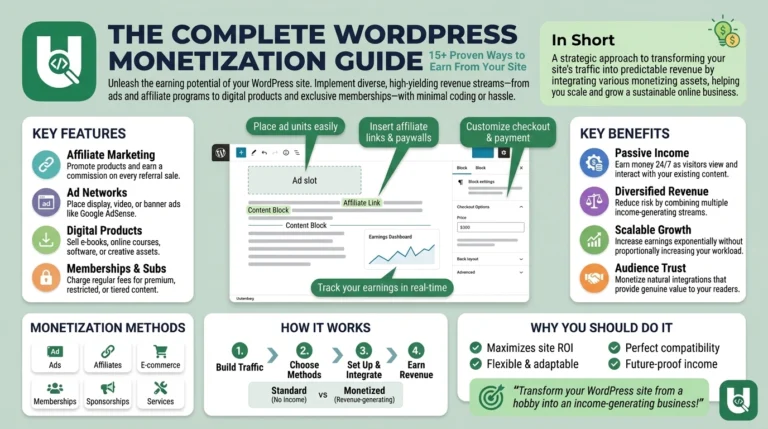
Most guides on this topic explain how to paste AdSense code into WordPress. That part takes ten minutes. The part that decides your income is which positions you choose, how many you run, and whether those positions survive both Google’s ad policies and your Core Web Vitals. That is what this guide covers. If you are still deciding how to monetize at all, start with our WordPress monetization guide.
What placement actually controls in your RPM
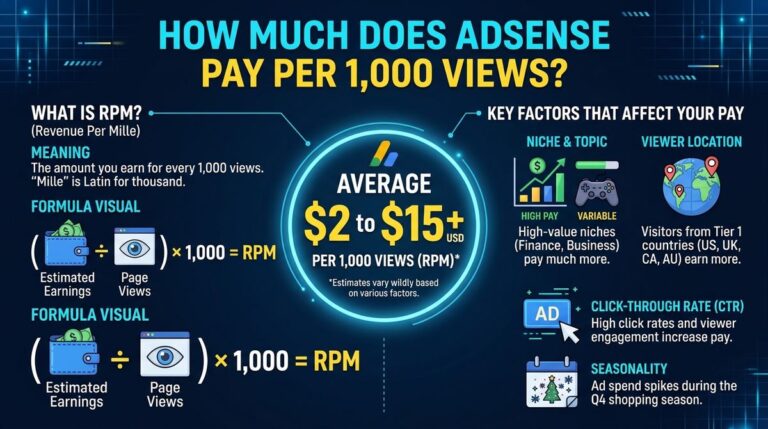
RPM is revenue per thousand impressions, and what it realistically pays per 1,000 views depends heavily on your niche and audience. Page RPM is calculated as estimated earnings divided by pageviews, multiplied by 1,000. So a site earning $18 from 9,000 pageviews has a page RPM of $2.00.
Placement does not change your niche or your advertiser bids. It changes one input: viewability. An impression only counts as viewable when the ad is rendered and stays on screen long enough for the reader to actually register it. An ad that loads below a reader’s stopping point never reaches that bar, so it contributes nothing while still occupying your layout.
This is why placement is a revenue lever and not a cosmetic one. Moving the same ad unit from a dead zone into the reading path can lift viewability by twenty to thirty percentage points without adding a single ad.
Three attributes decide whether a placement earns:
- Position in the reading path: does the reader pass through it while consuming the content.
- Dwell time at that position: does the reader pause there or scroll past at speed.
- Render timing: does the ad arrive before the reader reaches that point on the page.
The placements worth using on a WordPress blog
In-content, between paragraphs
This is the strongest placement on a content site, and it is the one most WordPress blogs underuse. An in-content ad sits directly in the reading path, which means it stays in view for as long as the reader is reading the paragraphs around it.
Place the first one after the second or third paragraph, not immediately after the opening line. The reader needs to be committed to the article before the first interruption.
On a long post, one in-content unit roughly every 800 to 1,000 words works well. Spacing them by heading rather than by raw paragraph count keeps the layout readable.
Just above the fold, under the headline
Google’s own viewability guidance is counterintuitive here: ads placed near the bottom of the first screen, right above the fold, record the highest viewability rates, and ads placed just below the top navigation bar outperform ads pinned to the very top of the page.
The reason is simple. An ad at the absolute top of the page often renders before the reader’s attention settles, and gets scrolled past in the first motion. An ad sitting at the edge of the first screen stays in view while the reader orients.
One rule here is non-negotiable: the headline and the opening of the article must be visible above the ad. Pushing the entire article below an ad block is the exact pattern the content-to-ad policy exists to stop.
End of article
An end-of-article unit reaches readers who finished the piece, which is a small share of traffic but the most engaged share. Viewability here is high because readers pause at the end before deciding what to do next.
On sites that end posts with a related tool or guide, this unit sits naturally above that block rather than below it.
Sticky sidebar, desktop only
A static sidebar ad scrolls out of view in the first second and earns almost nothing. A sticky sidebar unit stays in the viewport for the whole session, which changes its viewability profile completely.
Below the fold, ads on the left or right side of the layout record better viewability than ads in the middle of the content column, which is what makes a sticky sidebar worth keeping on desktop.
On mobile the sidebar usually collapses below the content, where it is effectively dead. Disable it there instead of letting it stack at the bottom.
Anchor ad on mobile
An anchor unit pins to the bottom of the mobile viewport and remains visible through the whole scroll. It is the highest-viewability format available on mobile traffic, which for most WordPress blogs is the majority of traffic.
Keep anchor on and vignette off. Vignette ads are full-screen interstitials that fire between pageviews, and they damage both session depth and user trust for a revenue gain that rarely justifies them.
Placements to skip
- Ads immediately beside navigation, buttons or download links. These generate accidental clicks, which is a policy violation and triggers invalid traffic deductions.
- Ads stacked three deep above the fold. Google’s guidance is explicit that too many ads above the fold make a page look cluttered and push visitors to leave early.
- Ads on pages with no meaningful content. Your About, Contact, Privacy Policy, Terms and Disclaimer pages should run no ads at all.
- Ads disguised as content or navigation. The only labels allowed above an ad unit are “sponsored links” or “advertisements”. Anything else that implies the ad is editorial content is a violation.
- Static sidebar ads on mobile. Dead weight in layout and in CLS.
What AdSense policy actually says about placement
Policy on this topic is narrower than most blogs claim. The core rules that matter for a WordPress content site:
- Ads above the fold are allowed, provided there is enough content above the fold for the reader to actually read. Layouts that push all content below the fold so that only ads are visible are not allowed.
- Labels above ad units are restricted to “sponsored links” or “advertisements”.
- Ad placement must not make it hard for a reader to tell content from ads.
One point worth verifying rather than trusting: guidance on large rectangle units above the fold on mobile has changed over the years, and sources still contradict each other on the current rule. Check the live AdSense placement policies page before building a mobile layout around a 300×250 unit above the fold.
Reserve space, or your placement will cost you rankings
Ads are the single biggest contributor to Cumulative Layout Shift on most publisher sites. An ad slot that has no reserved height pushes content down the moment the ad renders, and every one of those shifts counts against your CLS score. The passing threshold is 0.1 or below.
The fix is mechanical. Reserve the slot size in CSS before the ad loads, using min-height and min-width on the ad container.
For slots that accept multiple sizes, reserve either the largest size configured to serve or an average height. Blank space below a short ad looks slightly awkward and costs you nothing. A layout shift costs you a Core Web Vitals metric that feeds your rankings, which we break down in the WordPress performance guide.
If you are running a sticky or dynamically injected placement, check it specifically. Dynamically positioned ad placements inject into the page after layout and reserve no space by default, which makes them a common source of CLS on otherwise clean sites.
Auto ads or manual placement
Auto ads let Google choose positions. Manual placement means you define each slot. For a site built around topical authority and Core Web Vitals, the two are not equivalent.
| Factor | Auto ads | Manual placement |
|---|---|---|
| Setup effort | One script in the head, done in minutes | Each slot defined and placed individually |
| Position control | Google decides, positions change over time | You decide and the layout stays fixed |
| CLS risk | Higher, slots are injected after layout | Lower, space can be reserved in CSS |
| Ad density control | Limited, set by a density slider | Exact, you control every unit |
| Policy-page exclusion | Needs manual URL exclusions | Simply do not load the slot |
| Best for | New sites with no placement data yet | Sites optimizing RPM and Core Web Vitals |
The practical approach is a hybrid. Run anchor through auto ads, because it is the one format that is awkward to implement manually, and define your in-content, above-the-fold and end-of-article slots manually so you control their position and their reserved height.
A starting layout for a WordPress blog post
If you have no placement data yet, start here and measure from this baseline rather than guessing:
- One unit under the headline, at the bottom of the first screen, with the headline and opening paragraph visible above it.
- One in-content unit after roughly the third paragraph.
- One in-content unit per 800 to 1,000 words after that.
- One unit at the end of the article, above your related content block.
- Sticky sidebar unit on desktop, disabled on mobile.
- Anchor unit on mobile, vignette disabled.
That is four to six units on a typical 2,000 word post. Resist adding more until the data tells you the existing ones are saturated.
Implementing placement in WordPress
Three methods, in order of control:
- A code snippets plugin (such as WPCode) lets you inject ad code at defined hooks without editing theme files. Good control, no theme risk.
- A dedicated ad plugin (Advanced Ads, Ad Inserter) gives you position rules, per-post-type targeting and conditional display. Best option if you want to exclude ads on legal pages or specific categories without writing code.
- A custom plugin or child theme function gives you full control over markup, reserved CSS height and conditional logic. This is what you want on a site where ad containers need to be part of your own stylesheet.
Whichever route you take, never paste ad code directly into parent theme files. A theme update will wipe it. If you are editing theme-level templates at all, do it in a child theme.
One setup detail that saves trouble later: keep your publisher ID and slot IDs in one settings location rather than hardcoded across templates, so a slot change does not mean hunting through files.
Measuring whether a placement works
Change one placement at a time and give it at least two weeks. Ad revenue data is noisy, and a single week will mislead you.
Read two dashboards together, not one:
- AdSense gives you impressions, page RPM, impression RPM and viewability per ad unit.
- Analytics gives you bounce rate, pages per session, scroll depth and returning visitors.
The failure mode to watch for is a placement that raises RPM while quietly cutting return visits. That trade looks like a win in month one and shows up as a traffic decline a quarter later, by which point the cause is hard to attribute.
If viewability on a unit sits below 50 percent, the problem is position, not the ad. Move it into the reading path before you consider adding another unit.
Frequently asked questions
How many AdSense ads should a WordPress post have?
Four to six units on a 2,000 word post is a reasonable ceiling. There is no fixed numeric limit in policy anymore, but ad density that exceeds content value triggers both reader abandonment and policy review. Density should scale with content length, not with ambition.
Which AdSense placement has the highest RPM?
In-content units between paragraphs generally produce the highest RPM on content sites, because they sit in the reading path and hold viewability for the duration of the reading session. On mobile traffic, the anchor unit is usually the closest competitor.
Do ads above the fold violate AdSense policy?
No. Ads above the fold are allowed as long as there is enough content above the fold for the reader to read. The violation is a layout that pushes all content below the fold so that ads are the only visible element.
Will AdSense ads hurt my Core Web Vitals?
They will if you do not reserve space for them. Ads are the largest single contributor to Cumulative Layout Shift on most publisher sites. Setting min-height and min-width on every ad container before the ad loads removes the shift entirely.
Are Auto ads better than manual placement?
Auto ads are better for a site with no placement data and no development time. Manual placement is better for RPM and for Core Web Vitals, because you control both position and reserved height. Most optimized sites run a hybrid: auto for anchor, manual for everything else.
Should I run ads on my About and Privacy Policy pages?
No. Those pages carry no content value for advertisers, they produce negligible revenue, and they are the pages a policy reviewer looks at first. Exclude them explicitly.
How long before a placement change shows real results?
Two weeks minimum, four weeks for confidence. Daily ad revenue varies with advertiser budgets, seasonality and traffic mix, so short windows produce false signals in both directions.
Does ad placement affect SEO directly?
Not directly, but it affects two things Google measures: Cumulative Layout Shift, which is a ranking signal, and reader behaviour, which influences whether people return to your site from search. A placement that damages either one is costing you more than it earns.